General info > GPS
Choosing a GPS
The last few years have seen developments in some parts of the GPS market, yet in many ways everything has stayed pretty much the same. After all there is a limited number of things a GPS can do – in essence it is just a device that can locate you, with reasonable accuracy, on the face of the earth. A few other features have been built into GPS units and software, such as methods for taking you from your present location to a specified one, or putting together a set of such ‘waypoints’ into a route to follow. Many will now show your location on a ‘proper’ map, just like your paper one. Some of the more sophisticated ones incorporate an electronic compass and even sport add-ons like a camera.
There are lots of GPS units on the market, from the traditional manufacturers like Garmin to apps for your smartphone, using its inbuilt GPS receiver. Manufacturers and software developers promote all sorts of add-ons, like route sharing portals and geo-cacheing features, to differentiate their devices from their rivals. GPS units also come with many different screen sizes, battery types and degree of waterproofing. This can make the selection process quite difficult. So how do you pick the device or software that is right for you?
The reality is that every option has its pros and cons; there is no such thing as the perfect GPS. It’s all about what you are going to use it for, how and where. The criteria you need to consider really boil down to the following:
1. How do you plan to use your GPS? Is it a primary navigation device or merely a support to traditional map and compass navigation?
2. How organised are you? Are the sort of person who will transfer bits of map before going out and make sure batteries are charged up? Or do you need something that simply works out of the case whenever and wherever?
3. Where are you going to use it? If you want a mapping device you need to check that you can get maps for the parts of the world you plan to visit, or at least be able to use it without them.
4. How rich are you? You do get what you pay for. If you don't want to spend much you may have to scale back your expectations or make some compromises.
5. How easy is it to use? Usability is a key issue, particularly on a wet hillside with cold hands. Think about the conditions you may need to use your GPS in (particularly if you have to put it in a waterproof casing to protect it).
What’s it for?
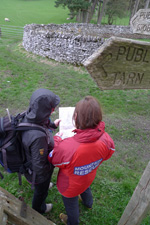 There are plenty of people for whom a GPS remains something of a mystery – they really can’t see why you would want one when a map and compass will get you around quite safely. Actually there is a lot to be said for that and many hardened navigators would insist that a GPS, if carried at all, is simply an aid to traditional navigation which should probably only be used as a last resort when other techniques have failed (i.e. you are completely lost and need to find your way out without delay).
On the other hand, a GPS can give people the confidence to extend their walks into areas that they would otherwise find too daunting. In the wider sense that has to be a good thing, as long as one does not become totally reliant on it or fail to develop the map reading and compass skills one might have to fall back on if it decides to give up the ghost.
Using a GPS as a primary method of navigation does put more stress on the device. GPS units with larger and brighter colour screens are easy to use but they inevitably draw more power. You also have them in your hands more of the time, so the risk of dropping them is greater. So instead being a simple little box of tricks that sits in your rucksack until called for in an emergency, the regularly used GPS has to combine ruggedness with a large colour screen and plenty of battery life – in other words the whole thing becomes bigger and much more expensive. If you don’t want a bulky great thing in your hands and resent paying out hundreds of pounds on a GPS, well maybe it’s time to reconsider how you do your navigating? There is something beautifully simple, elegant even, about a piece of paper with a map printed on it.
Dedicated GPS devices
Dedicated outdoors GPS units remain an attractive choice for many walkers, not least because of their robustness and ease of use, and the fact that you are not running down your phone’s batteries. You do, however, need to check carefully that the device you are buying does what you expect of it. The least expensive GPS units will only display simple vector 'basemaps' that do not have the detail of a standard Ordnance Survey 1:50,000 Landranger or 1:25,000 scale Explorer map, which come in a ‘raster’ image format. You may be able to buy more detailed vector mapping (sometimes called 'topo' mapping) for countries you are visiting, but it is still not the same as seeing a ‘paper’ OS map, or the regional equivalent, on screen.
Right now Garmin is far and away the most popular of the dedicated GPS device manufacturers. Most of the Garmin range is capable of displaying both vector and raster mapping, meaning that you can view 'standard’ Ordnance Survey mapping on them. You have to buy OS mapping specifically for your Garmin GPS; note that you cannot transfer mapping from digital mapping applications like Memory-Map, Quo or Anquet, because OS licensing is restricted to individual devices. Garmin's Basecamp software allows you to view the mapping held on your GPS on your PC or Mac, so you can plot routes and review your tracks, effectively bypassing the need for another digital mapping application. In common with almost all digital mapping applications Basecamp will import a GPX route file, of the type that we provide for walks on the Walkingworld website. It has to be said that Basecamp is not the prettiest or most user friendly software in the world, but it works.
Broadly speaking it is worth getting ‘whole country’ coverage at 1:50,000 scale, especially as it is often offered as a reduced price bundle with the GPS. Expect to pay from around £300 or so for a Garmin with Landranger mapping. The same bundle with 1:25,000 scale mapping as well is likely to cost £200 - £300 more, a significant increase.
The cost of the device itself rises as the screen gets bigger and with the addition of extra features. Whether the additional cost is worth it depends very much on how you intend to use it. A big screen is helpful is you want to use the device for a lot of your navigating; if you are just using it to cross-reference with a paper map a small screen could be perfectly fine, and will save both money and batteries.
Of course all dedicated GPS devices will give you a position, converted into whatever map grid reference you want (in the UK, OS grid). They will also record your track, keeping a record of where you have been on your outing. If that is all you need, perhaps just for reference in an emergency or to review your activities later, then a simple GPS without the ability to display raster mapping will do just fine. Don’t forget that, as other people are enticed into an upgrade, there are lots of opportunities to pick up older devices that will work perfectly well at that level.
Other dedicated devices
The SatMap, a dedicated PDA-type device that also displays standard Ordnance Survey mapping, has been around for several years now. The SatMap costs around the same as a top of the range Garmin. Like the Garmins you have to buy Ordnance Survey mapping specially for the device, but they also provide access to an online route plotting application.
The newer SatMap 12 is very similar to the previous SatMap 10 with a few enhancements, the most noticable of which is a brighter screen. When buying any new GPS from an outdoor shop it is worth taking the ones you are considering outside, preferably in bright sunlight, before making a final decision. In the case of the SatMap you might also want to have a play with the menu system, which is accessed by the orange buttons set around the bottom of the screen, to see if you find it user-friendly. Some people like it, others prefer the touchscreen menus found on the Garmins and on most smartphones.
The SatMap’s rechargeable batteries provide plenty of time 'on the hill' (providing you remember to charge them up) and mapping is available for quite a few countries outside the UK. The transfer software provided with it allows you to import the pictures from Walkingworld walks along with the standard GPX route data. It is certainly worthy of consideration if you can afford the fairly hefty price tag.
Mobile phones and tablets
 Smartphones are probably the cheapest way to get 'proper' Ordnance Survey mapping onto a GPS device, especially if you already own a GPS-enabled phone or can get one with your mobile phone contract. Several applications including ViewRanger are available for iPhone and Android phones. Memory-Map and Anquet both have iPhone and Android apps available separately from their main PC applications, and Ordnance Survey has its own simple smartphone app called OS Maps.
Cost-wise 'OS Maps' is by far the cheapest as it is a subscription service costing a little over £20 a year. However you have to remember to download and store the mapping you need before you go, so it takes a little more pre-planning. With other apps you can buy wider areas of mapping at both 1:50,000 and 1:25,000 scale which are permanently stored on the device (you may well need an SD card to fit it all on). For whole of GB coverage the cost can be between £50 and £300, depending on the scale.
On the face of it, a phone is an appealing option. You are able to combine several functions – your phone can be your in-car SatNav system, contact book, notebook, camera and GPS, all in one unit. If you are not even bothered about mapping and just want an OS grid reference there are plenty of free apps that will display the reference in nice big letters – the OS have one called 'OS Locate' and a good one called ‘GPS Test’ is available for Android.
A number of advanced users swear by the smartphone or tablet route because it offers so many opportunities for downloading free maps from the web. Using the calibration functions in many mapping applications you can load in a map and see your position on it anywhere in the world. This does make it attractive for frequent travellers, though expect to spend some time mastering the art of calibration. If you are interested in this route read our help article on calibration.
There are downsides to the smartphone route. Most units are nowhere near as rugged and waterproof as a dedicated GPS, so to fully waterproof them you need to put them in a casing or cover. Supposedly waterproof phones are beginning to appear from the likes of Motorola, Samsung and Sony, but for a really rugged waterproof device you need to look at something like Memory-Map's 'Defender' phones.
Mobile phone screens are not always particularly bright, making them quite difficult to read in sunlight, especially if they are under a waterproof cover. And finally you need to make sure you have charged them up enough before each trip, because you can’t simply slip in a spare set of ordinary AA batteries as you can with a Garmin GPS. You can get external battery packs (some of which are very cheap at around £20) but it's a slightly bulky and awkward solution.
Be aware that some tablets, particularly Apple ones, don’t come with an inbuilt GPS. It is still possible to use them with a separate Bluetooth GPS receiver, like the Garmin GLO. The Garmin GLO is a superb little unit but it’s expensive at around £80 and all it does is receive the satellite signals (albeit from both the US and Russian systems), convert them into a location and transmit to another Bluetooth device. Using one probably saves some battery life on your tablet or smartphone, but bear in mind having Bluetooth on is also battery draining.
That said, you can expect to see mobile phones and even tablets become more robust as time goes by. Already mobile phone manufacturers expect phones to be usable in the rain for a few minutes and capable of surviving a drop from a metre or more – as long as it isn’t onto concrete! Quite a few, like Motorola's Moto G series, are quite a lot less than £200 to buy. Demand for increased robustness is bound to lead to more rugged phones in the not too distant future.
In terms of linking in with Walkingworld, ViewRanger is the best option for Apple and Android phones and tablets. You can import Walkingworld walks directly into the app and follow them, complete with instructions and the waymark pictures. If you are a subscriber to Walkingworld you simply enter your login details in the Plug Ins section of the My ViewRanger portal and the downloads are free.
And of course if you are just following Walkingworld walks and nothing else, you can get the walk instructions and Ordnance Survey maps on your phone using the Walkingworld app.